← Back to blog
AI tools in motion design: opportunities and considerations
AI doesn’t replace designers — it liberates them
There’s an unfounded fear: “AI will do motion design and I won’t have work anymore.”
Reality: AI is making designers faster, not replacing them.
A designer who doesn’t use AI in 2026 is like a designer who didn’t know After Effects in 2005. Stuck in the past.
AI tools that work today
Video generation (Runway, Synthesia): Creates videos from text descriptions. Video upscaling (Topaz, Neural): Improves quality (720p to 4K). Auto remove background (Descript): 30 minutes becomes 5 seconds. Voice generation (ElevenLabs): Natural AI voices for narration. Color optimization (Adobe Firefly): Automatic palette suggestions.
Where AI helps (use freely)
- Rapid concept rendering
- Removing repetitive tasks
- Brainstorming ideas
- Filling technical gaps
- Speeding up workflow
Where AI hurts (be careful)
- Creative concepts (AI produces obvious solutions)
- Art direction (AI follows trends, doesn’t create them)
- Storytelling (AI doesn’t feel genuine emotion)
- Differentiation (AI makes everything look alike)
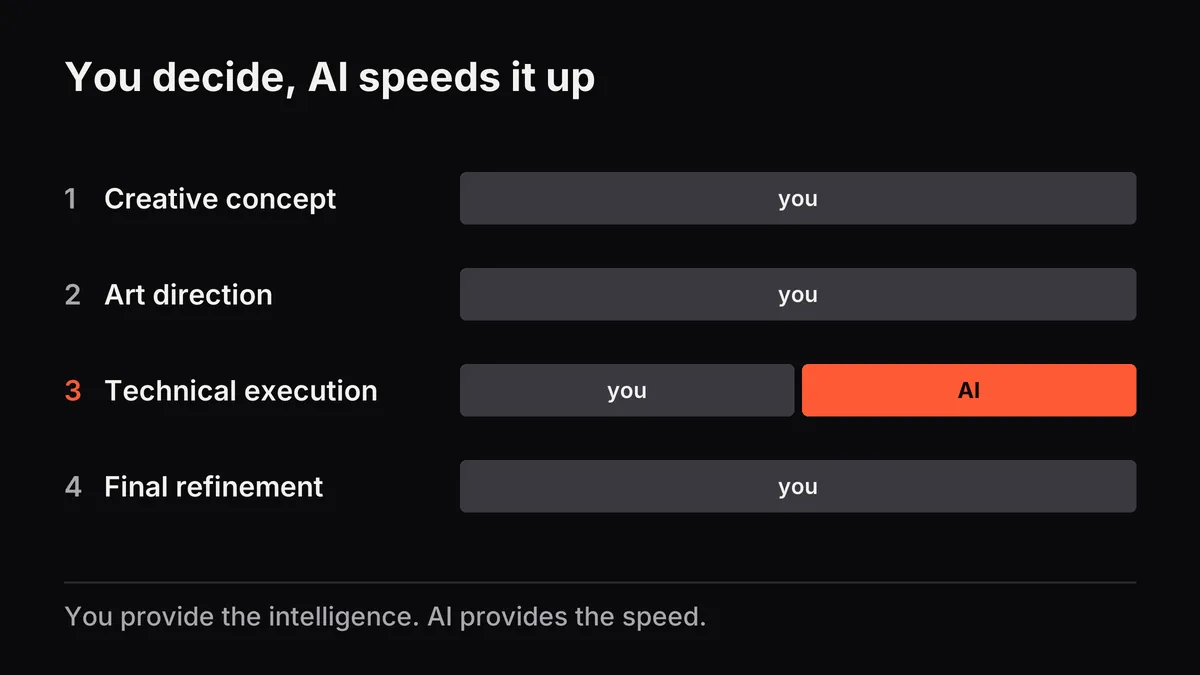
The formula that works: 70% human + 30% AI
Best motion design combines:
- Creative concept (you)
- Unique art direction (you)
- Technical execution (50% you + 50% AI)
- Final refinement (you)
You provide intelligence. AI provides speed.
Is 2026 finally your year to embrace AI in your workflow?