UX/UI
Data CFM — UX/UI
Data CFM
 Sign-upSign-inInstitutionDashboardProfileWalletSimulatorSecurityAdministratorDashboardMembership requestsPackagesReportsUsage volume
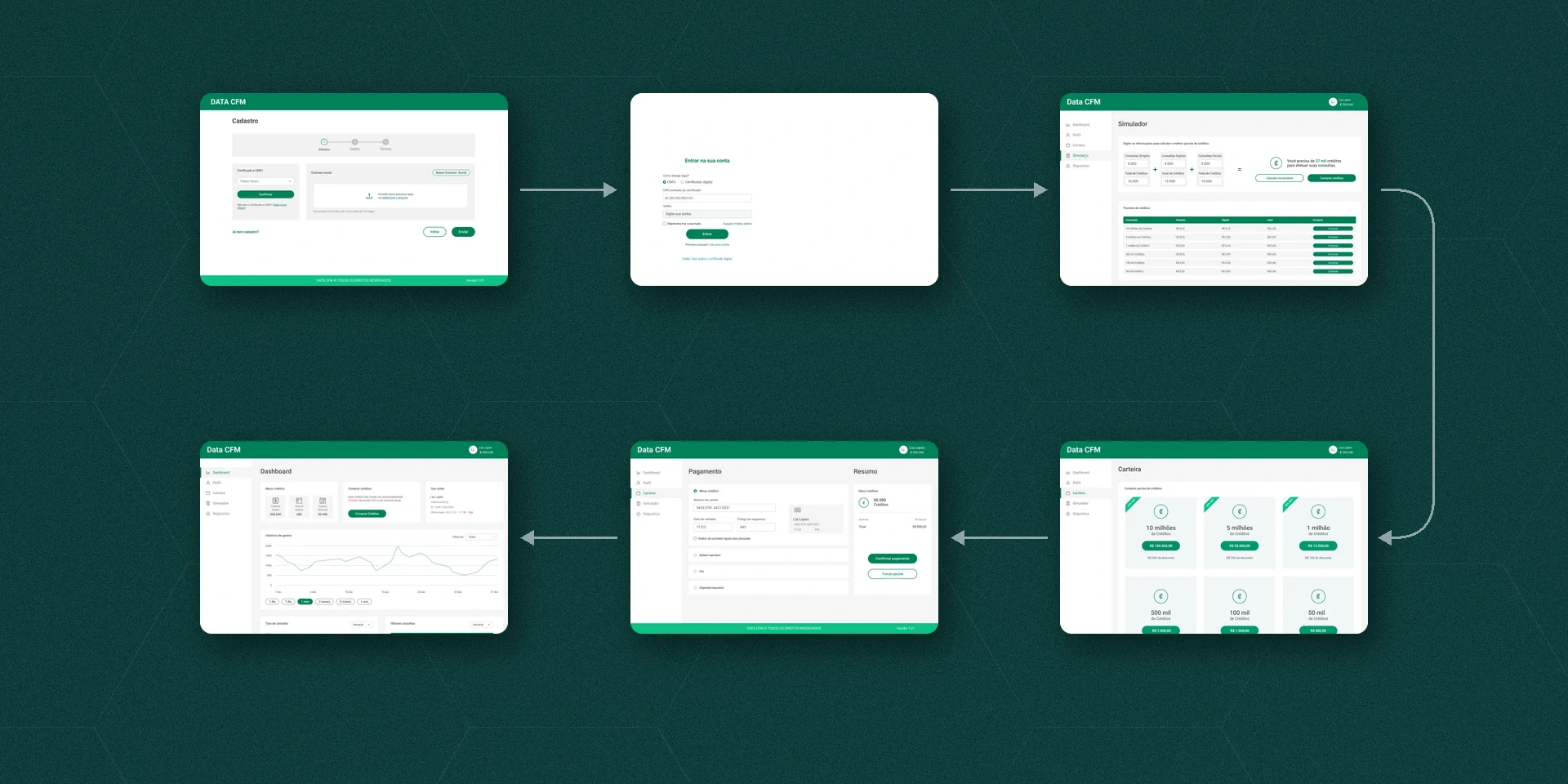 Sign-upSign-inSimulatorWalletPaymentDashboard
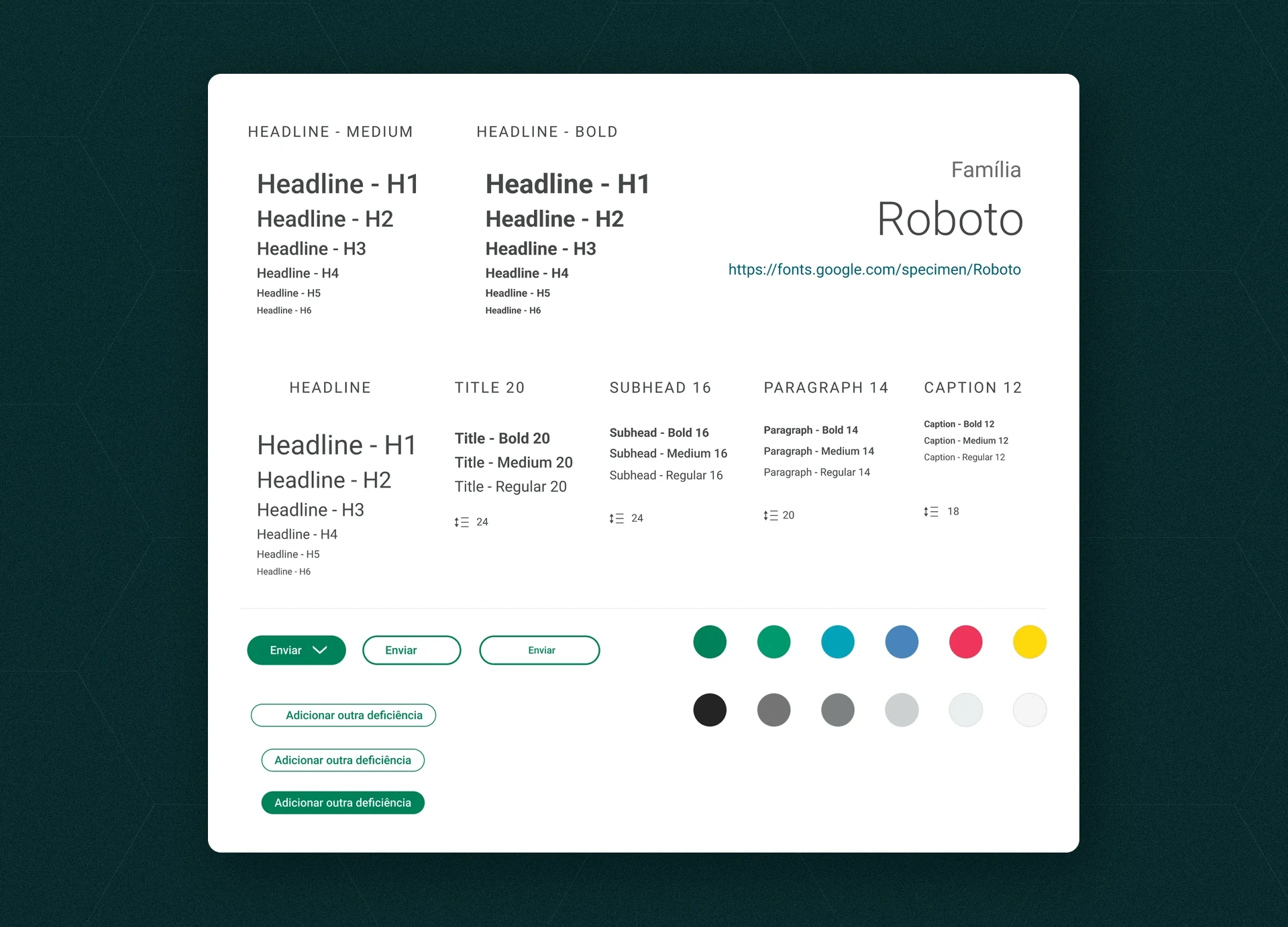 #008159#00986E#02A2B9#4884BC#EF355A#FFD80C#232424#747575#7D8282#CCD0D0#EAEEF0#F4F4F4
The product
Data CFM is a web and mobile platform for buying and managing credits. Institutions spend these credits on three types of queries (simple, digital and facial), and each type uses a different number of credits. In this case I show the system’s screens, from sign-up to administration.
Two profiles
After sign-up and login, the system splits into two profiles. The institution has Dashboard, Profile, Wallet, Simulator and Security. The administrator has Dashboard, Membership requests, Packages, Reports and Usage volume. Both menus have five areas, each with the tasks of its profile.
From sign-up to query
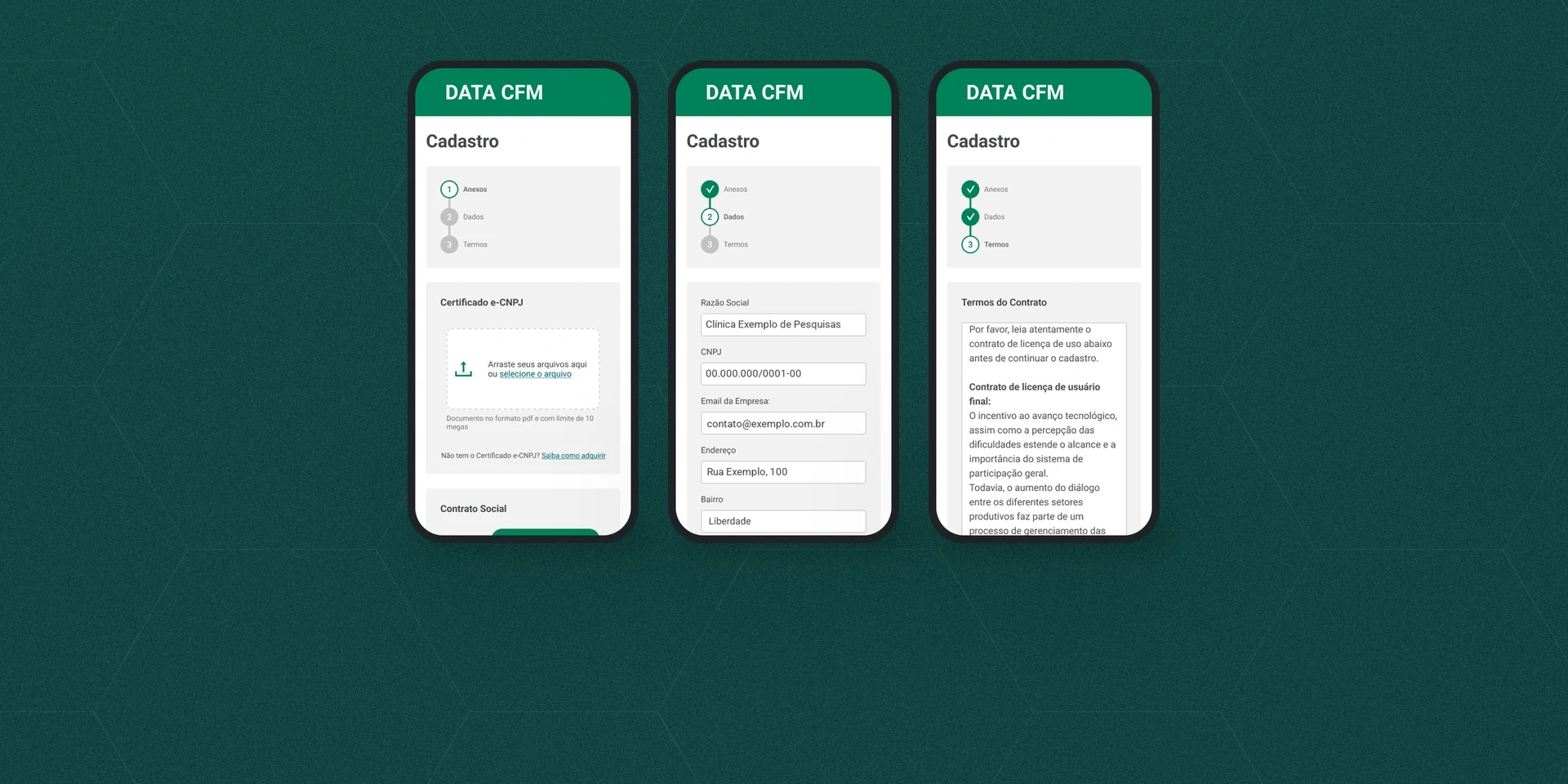
- Three-step sign-up: attachments (e-CNPJ certificate and articles of incorporation), company and account owner details, and terms. On mobile, the steps run vertically.
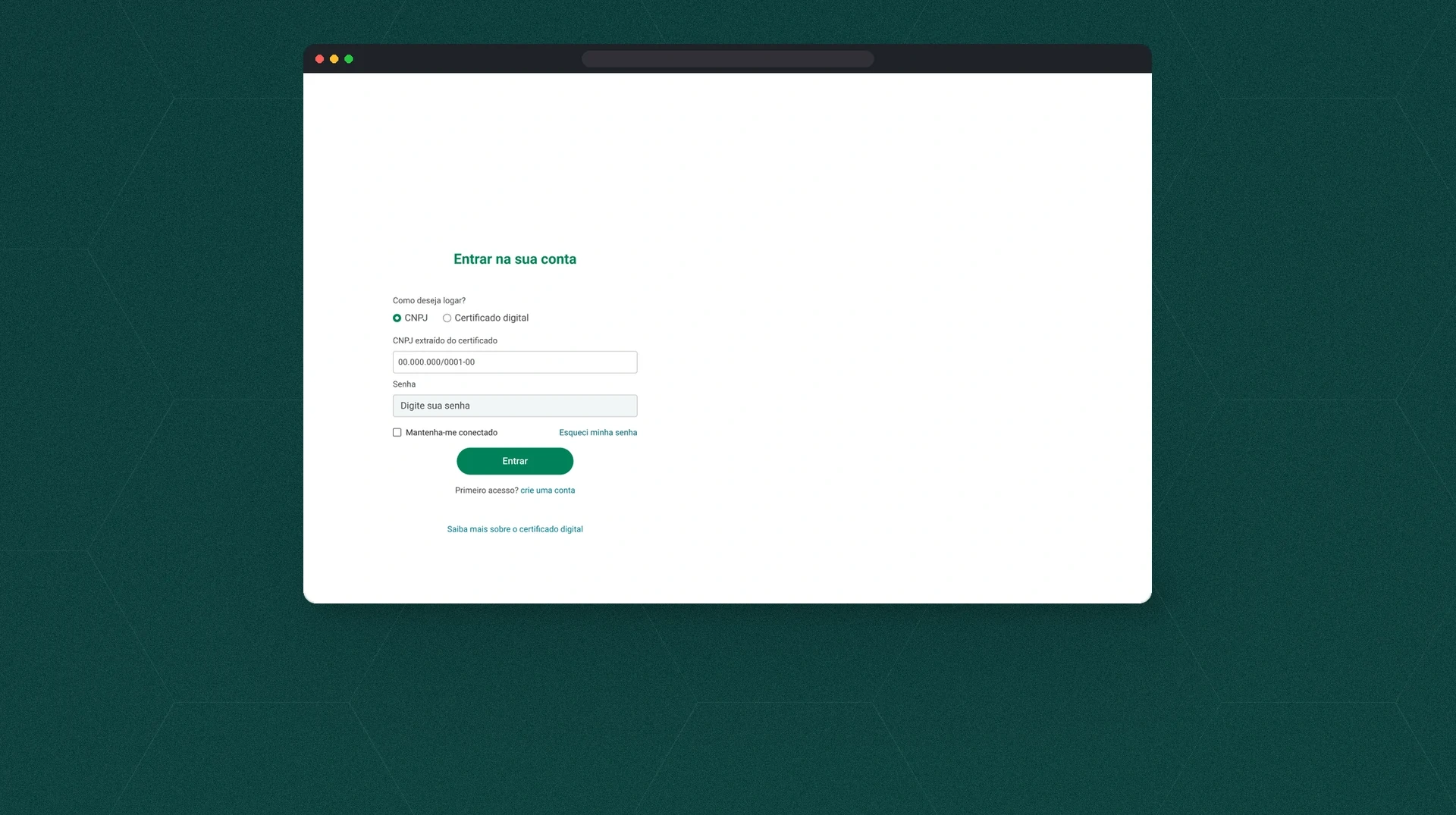
- Login with a CNPJ or a digital certificate.
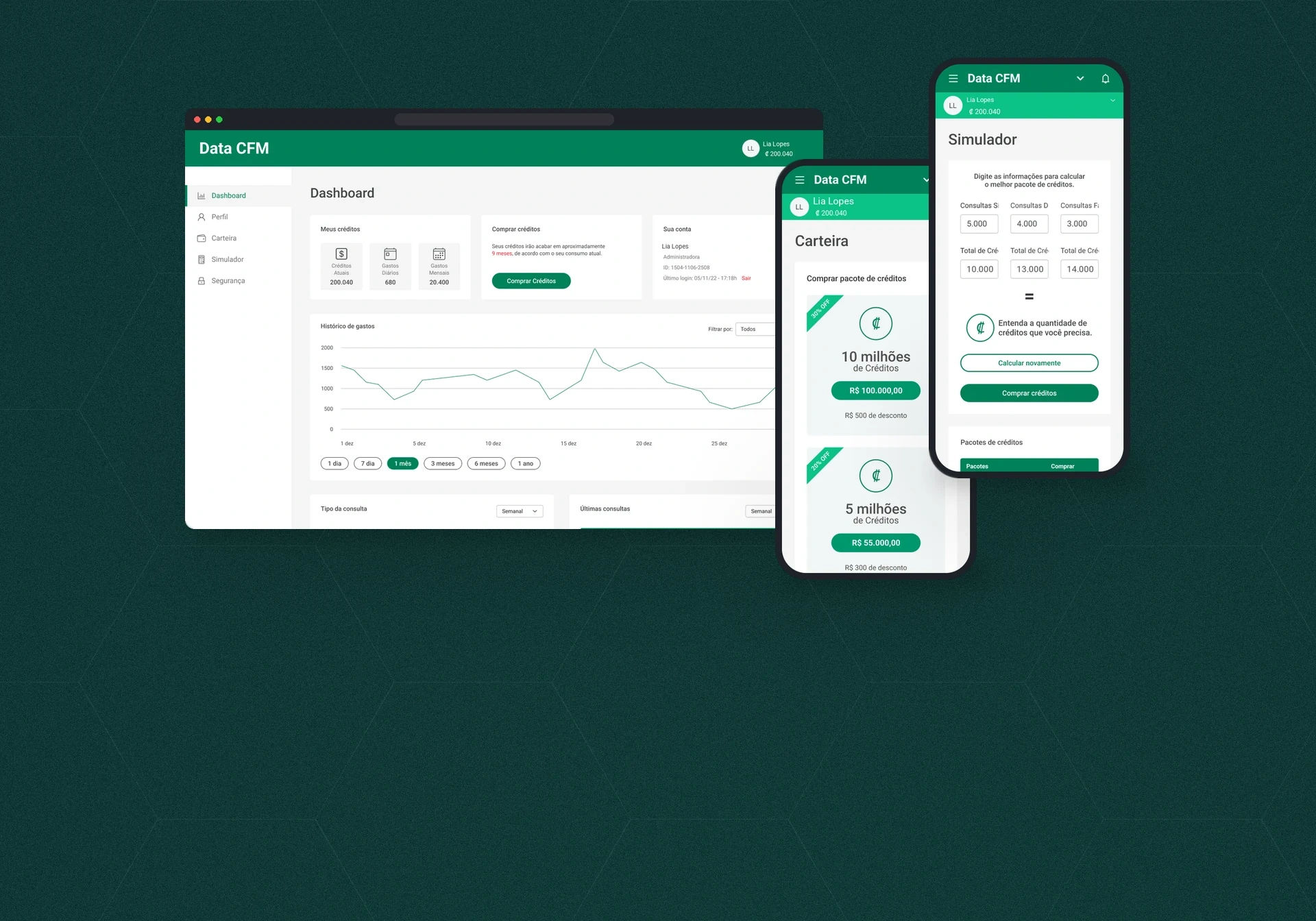
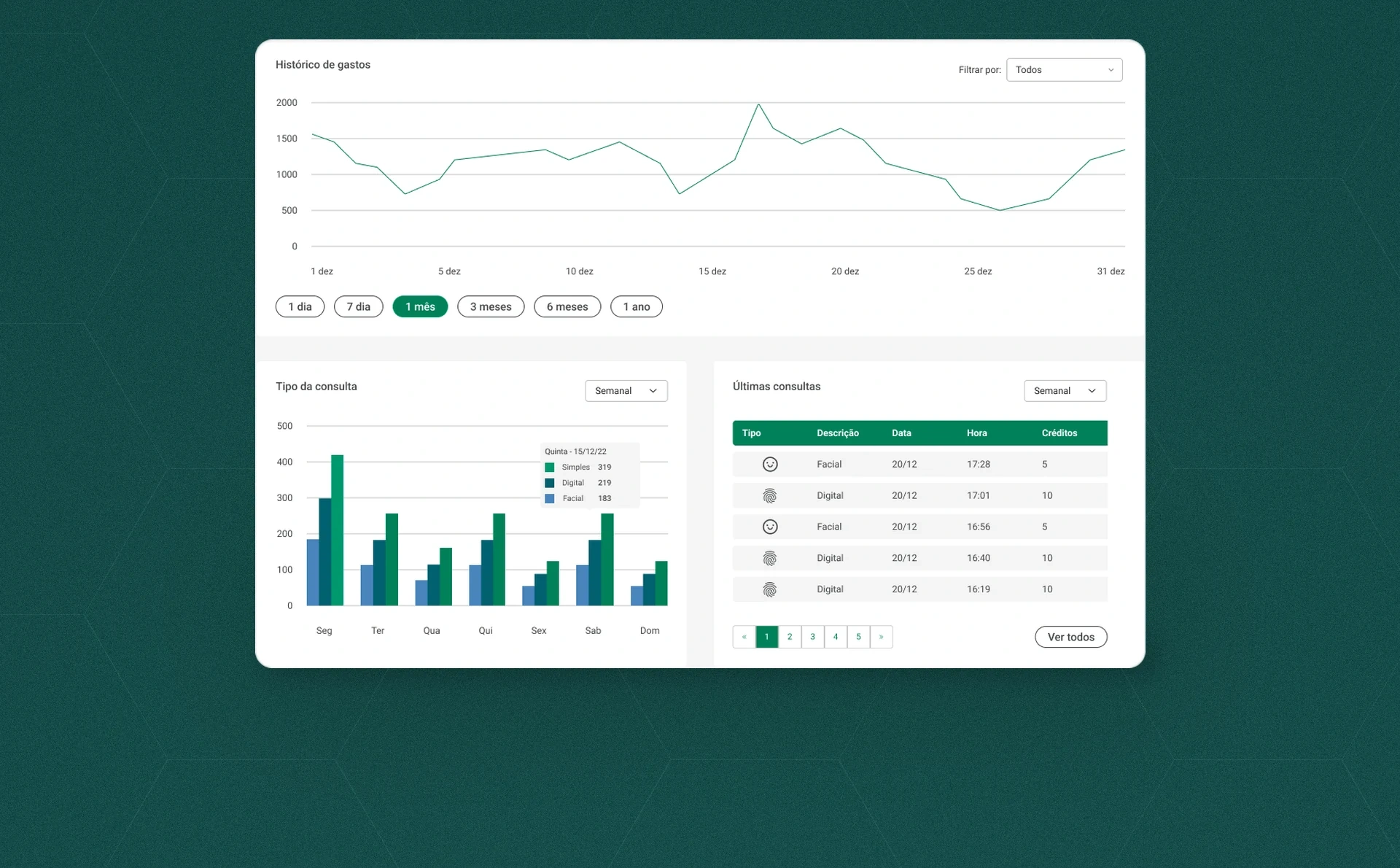
- Dashboard: current credits, daily and monthly spending, an estimate of when the balance runs out, spending history with filters from 1 day to 1 year, queries by type and the latest queries.
Buying credits
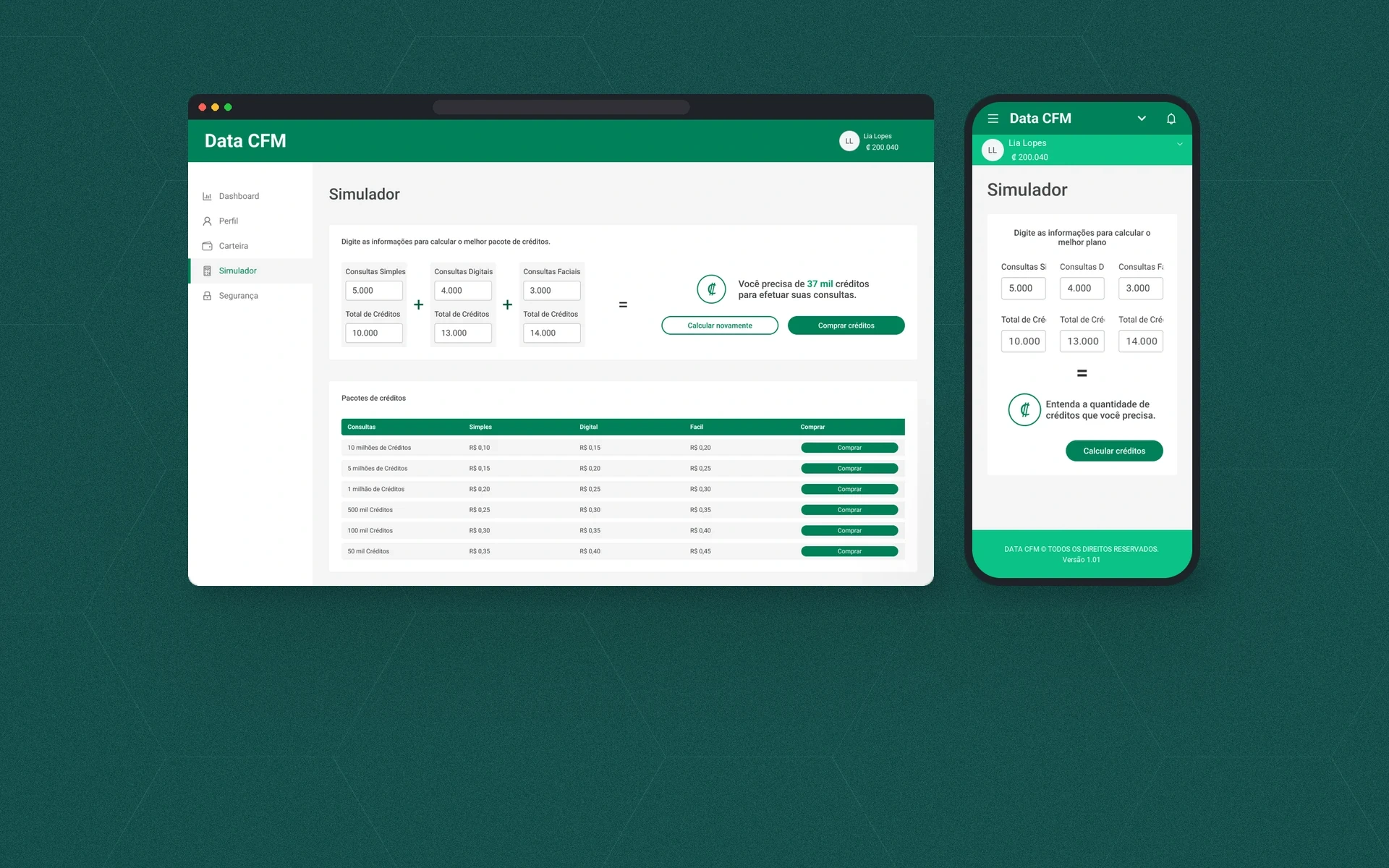
- Simulator: the institution enters how many queries of each type it plans to run, sees the total credits and gets a suggested package (“You need 37 thousand credits”).
- Wallet: packages from 50 thousand to 10 million credits, with discounts on the larger ones.
- Payment: credit balance, card, boleto, Pix or bank deposit, through to order confirmation and the receipt.
Tracking and security
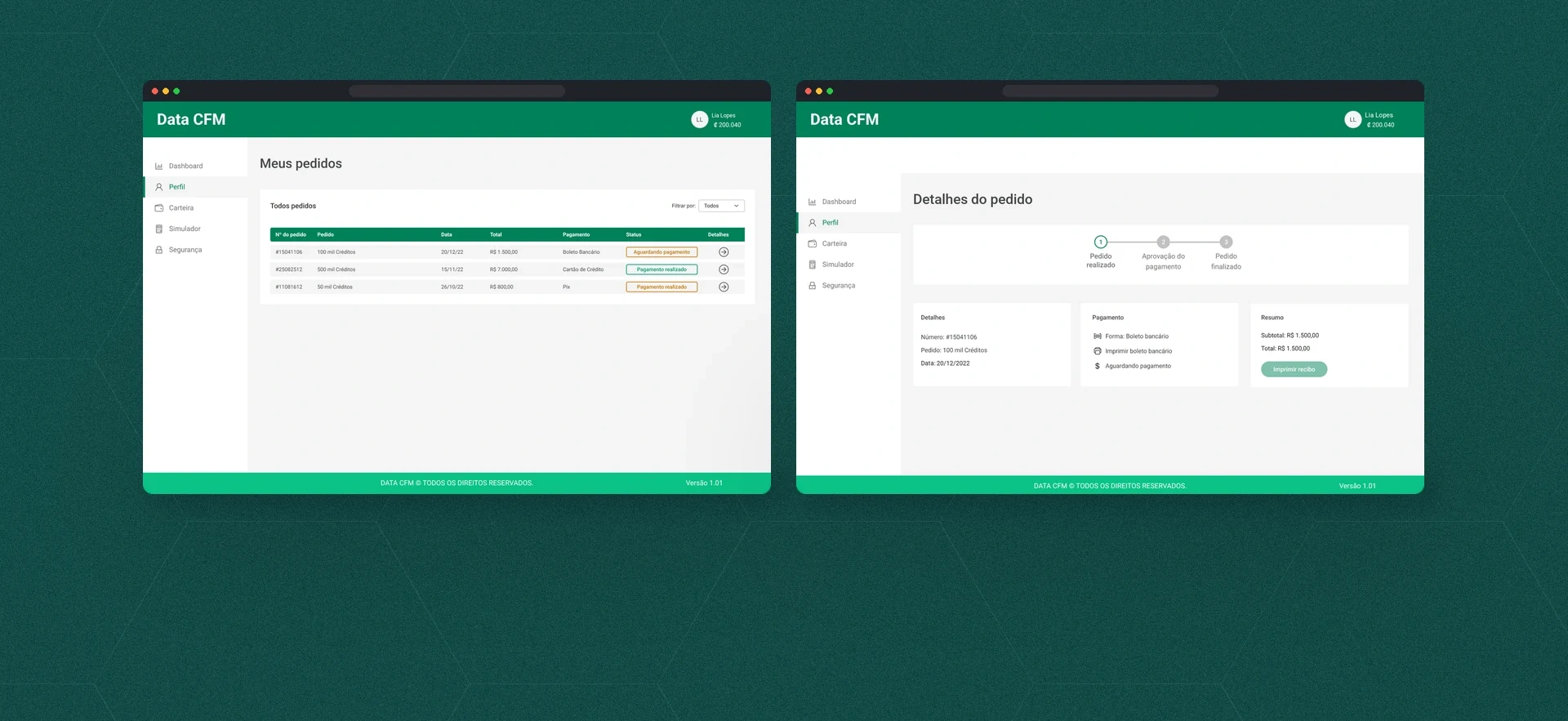
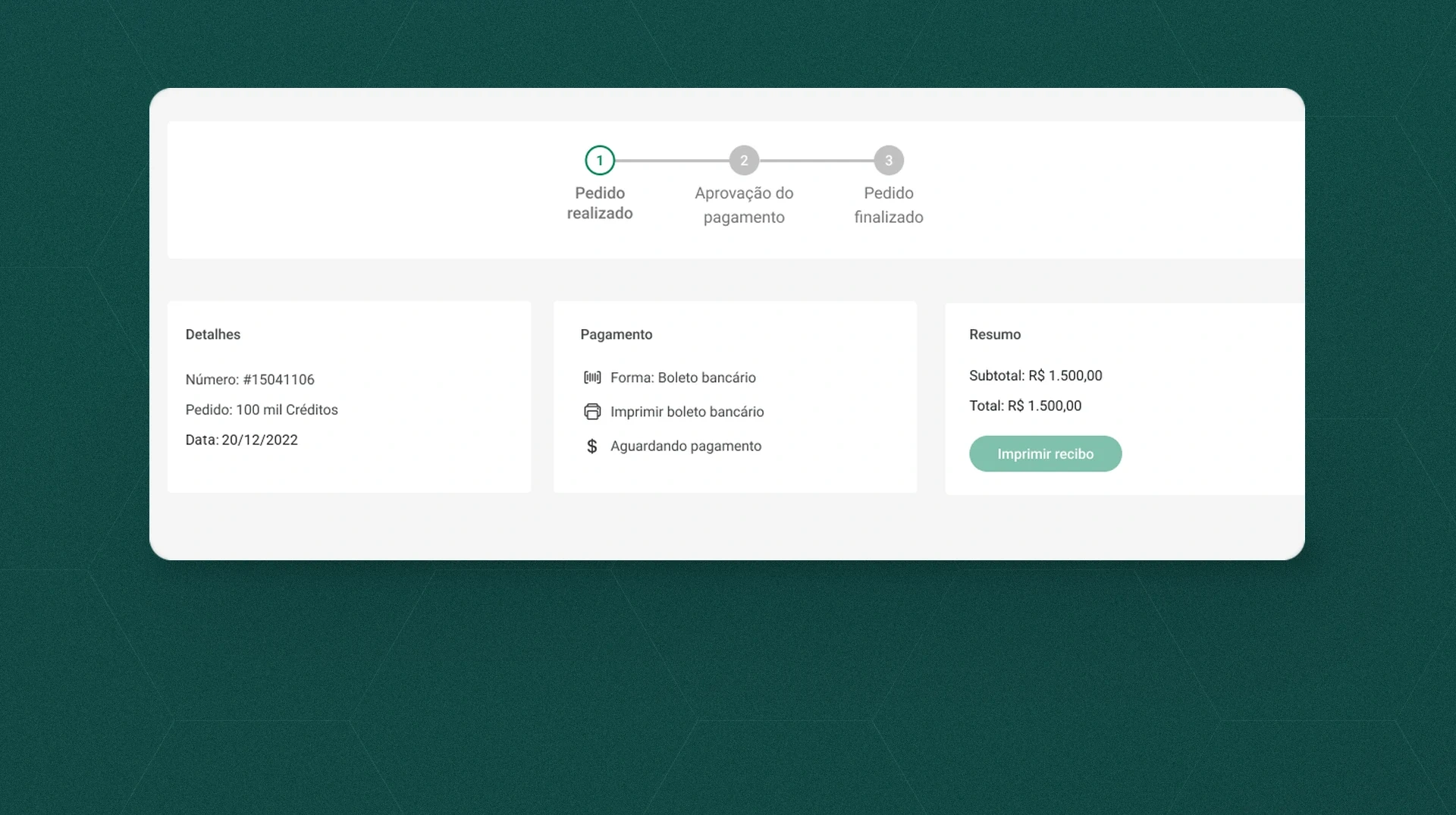
- Orders: a list with status and a detail page with the steps Order placed, Payment approval and Order completed.
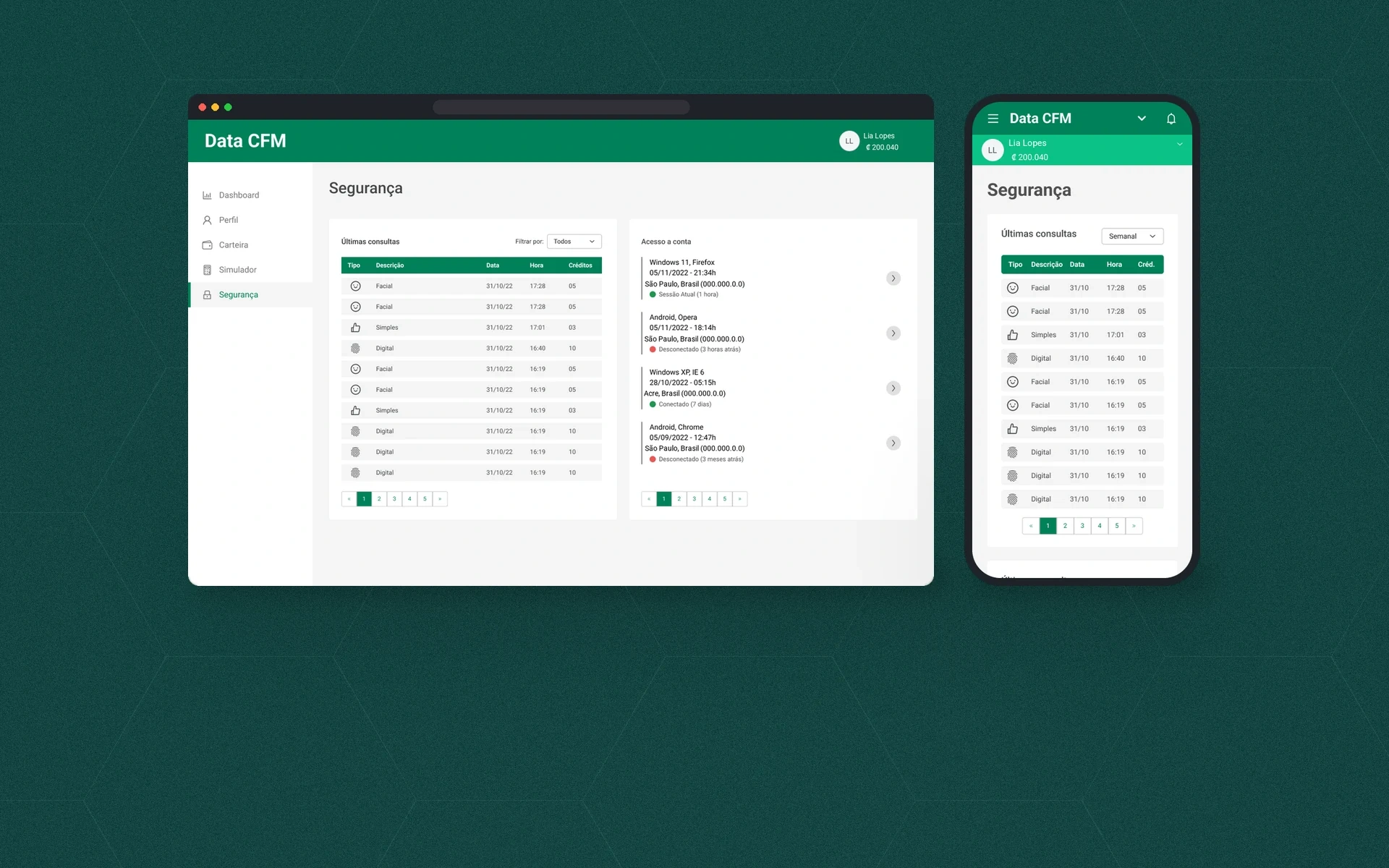
- Security: latest queries and account access, with device, location and session.
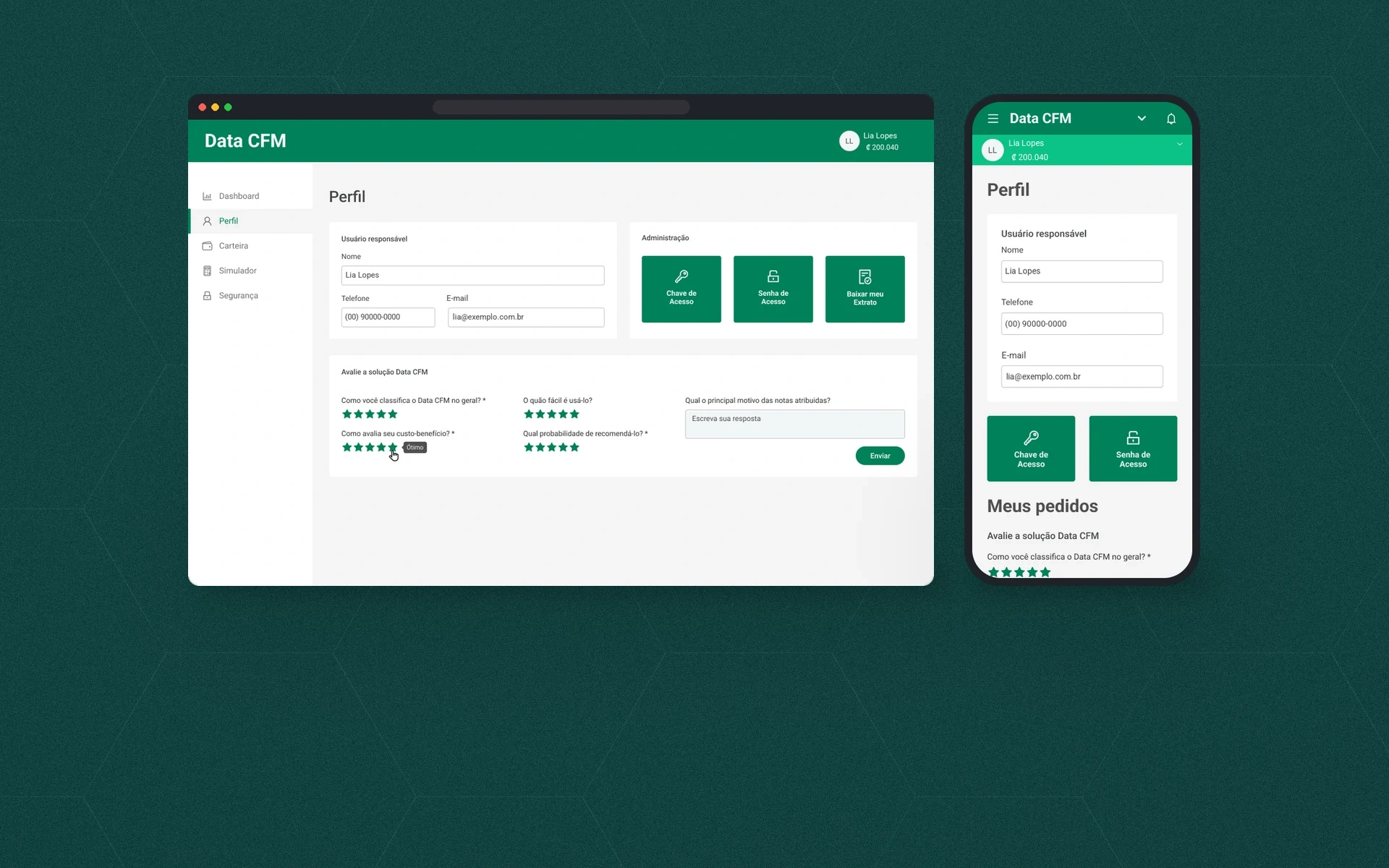
- Profile: account owner, access key and password, statement and a star rating of the product.
Administration
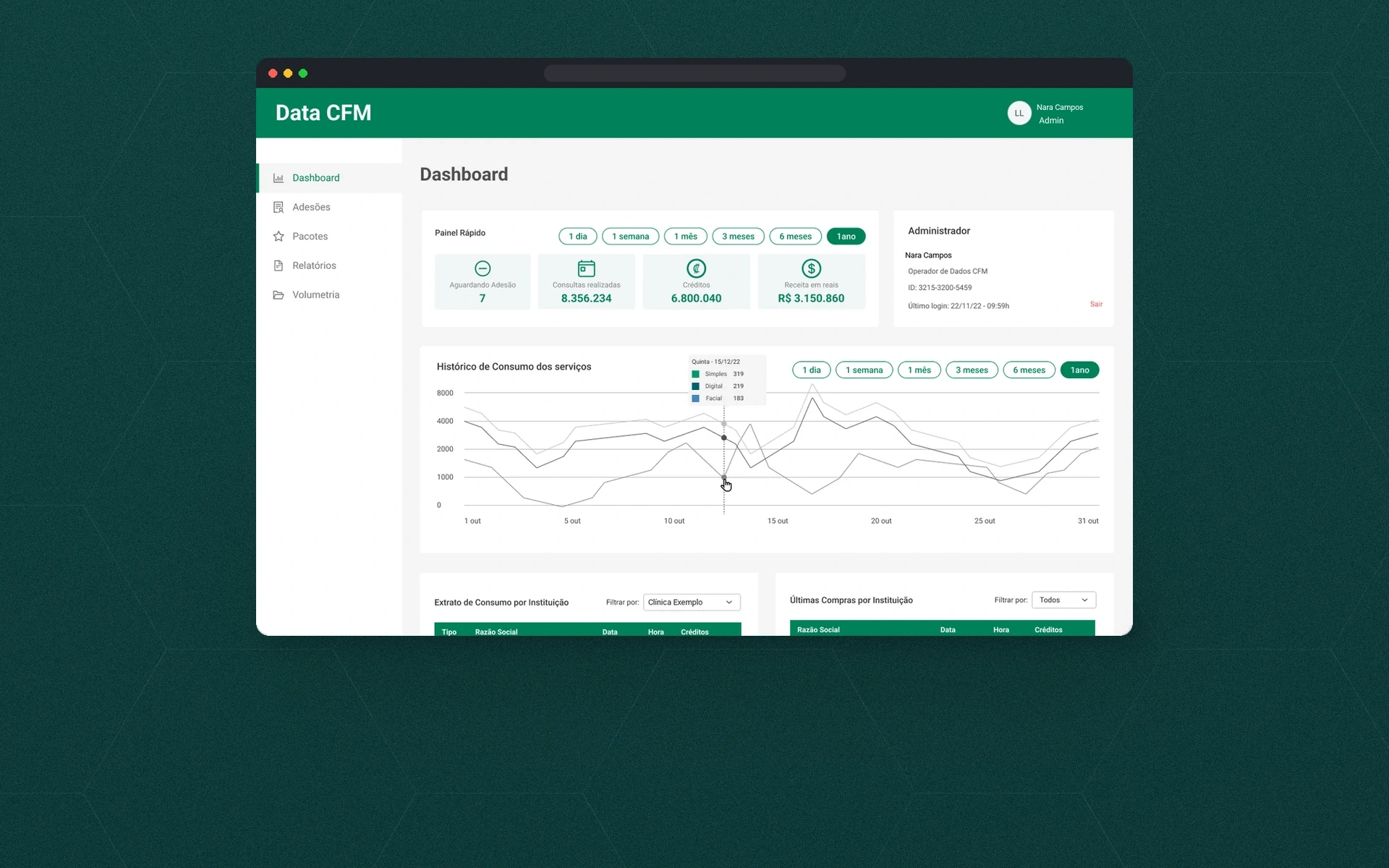
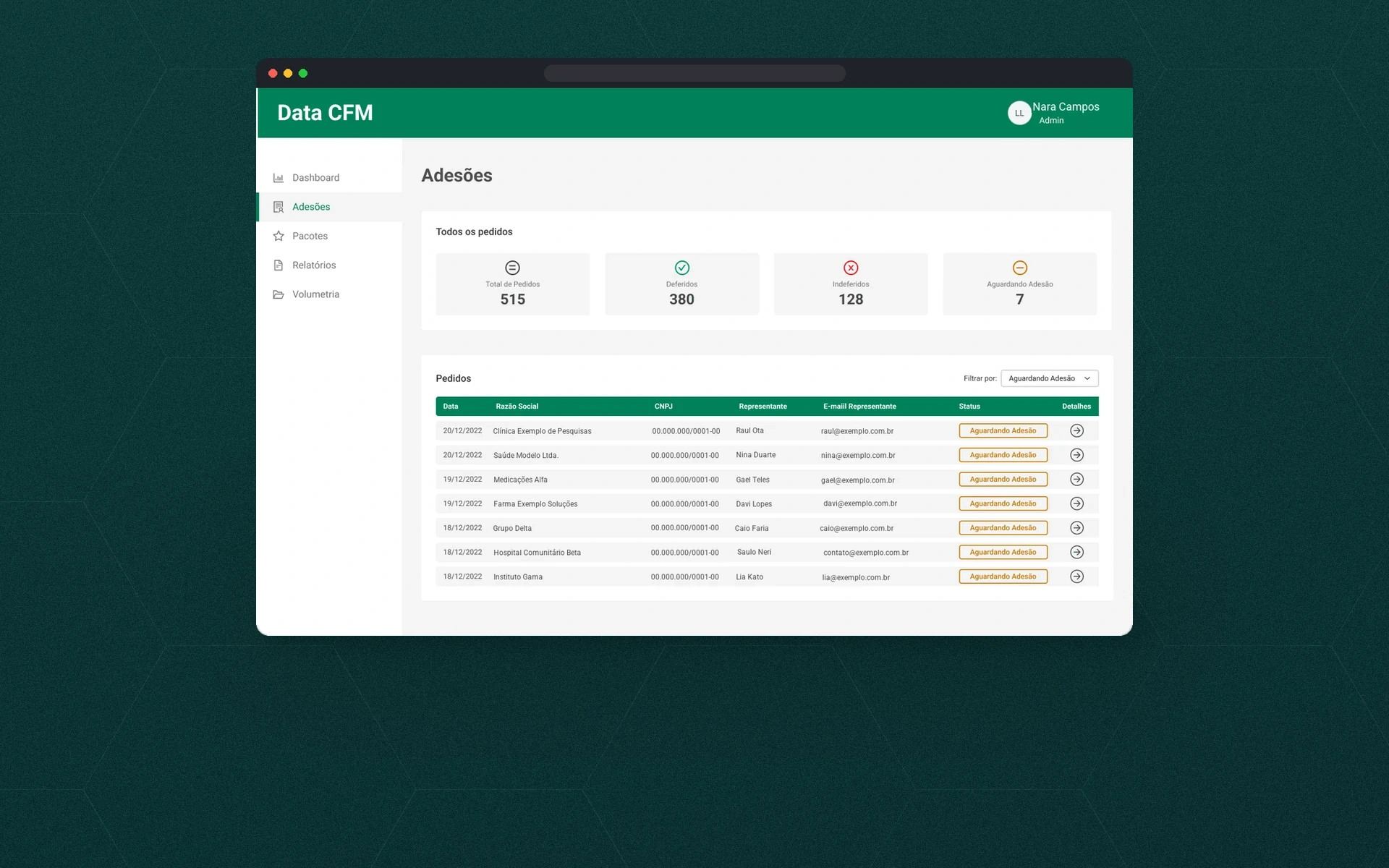
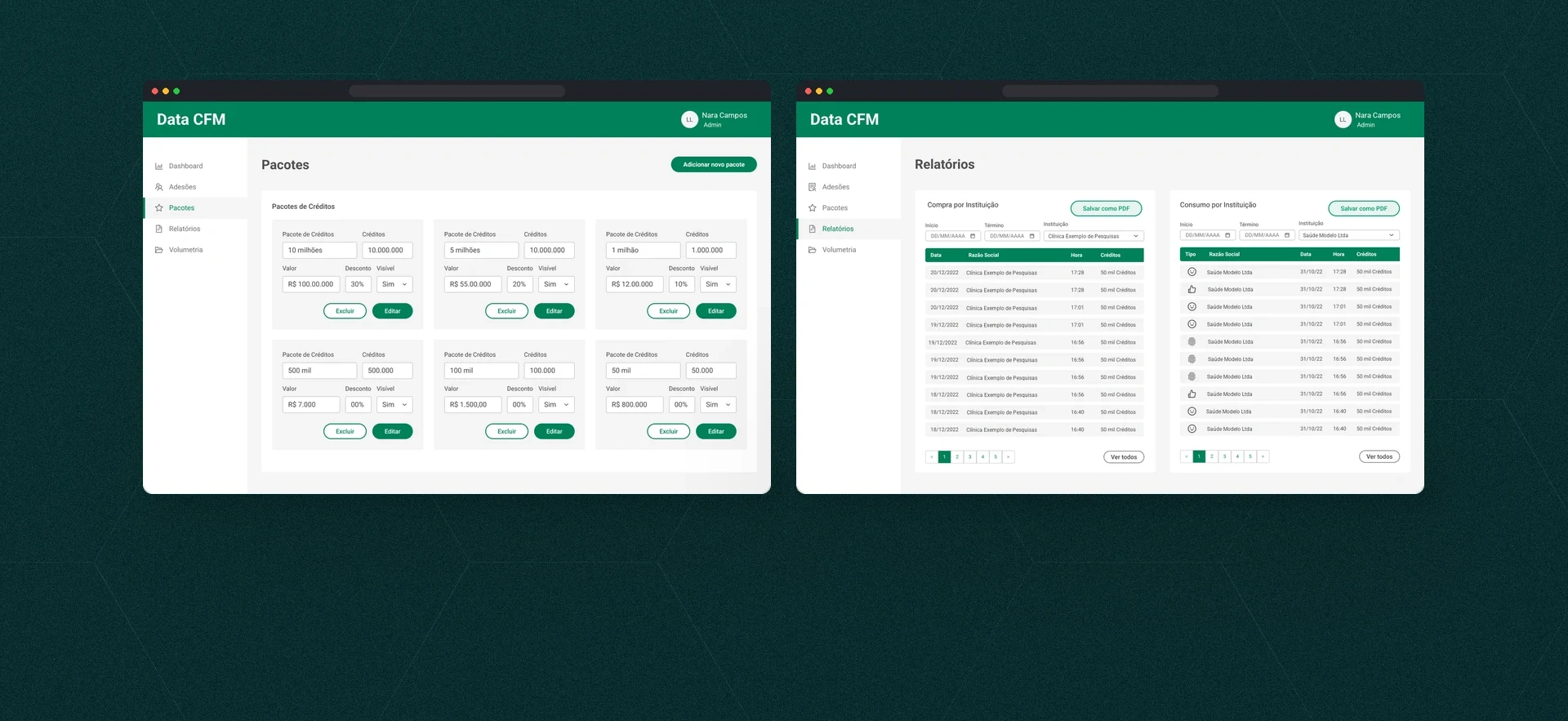
The administrator dashboard brings together membership requests awaiting review, queries, credits and revenue, plus usage history, statements by institution and the latest purchases. Membership requests lists the requests with totals for approved, rejected and pending. In Packages, the administrator sets each package’s price, discount and visibility, and the reports show purchases and usage by institution.
Visual system
Roboto in a scale from headings to captions, buttons and a 12-color palette: green #008159 as the primary, supporting grays and status colors. The same cards, tables and step indicators appear on desktop and mobile.
The final screens are in the gallery above.